Logo Maker - Create Logo
DUNELOGIC SOLUTIONSArt & Design
4.898.00 Reviews
- Version
- 3.2
- Installs
- 100.00K
- Age Rating
- Everyone
Screenshots
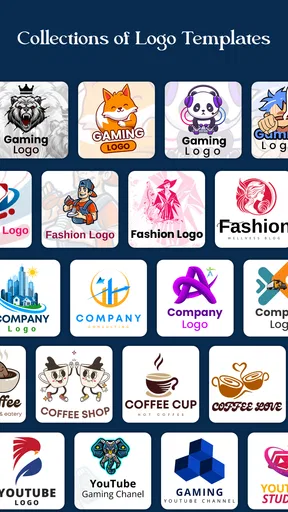
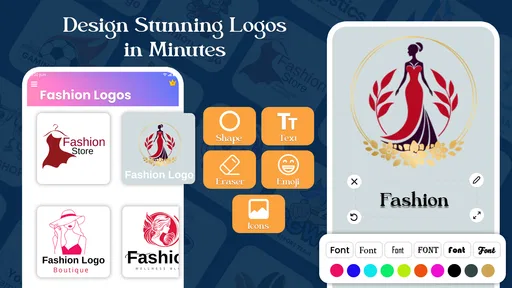
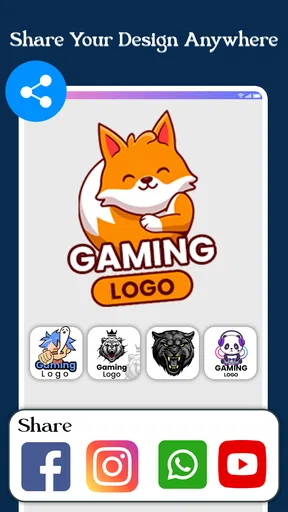
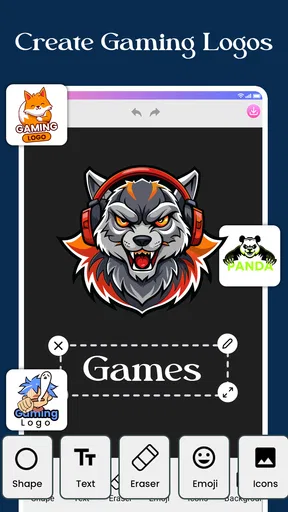
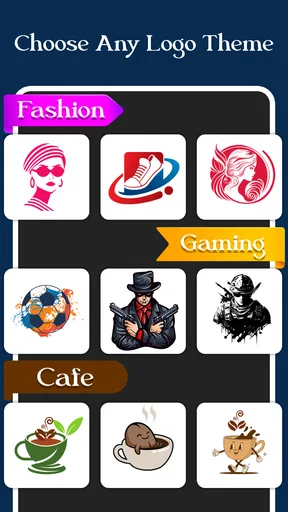
Our Review of Logo Maker - Create Logo
 Analysis by Appyee
I approached Logo Maker - Create Logo as a practical design tool rather than a toy I would open once and forget. It belongs to the Art & Design category, comes from DUNELOGIC SOLUTIONS, and is free to start. The basic idea is straightforward: help me assemble a usable logo from templates, lettering, and emoji-style elements without requiring a full desktop design suite. After spending time with that workflow, I found its strongest appeal is speed. It can help turn a vague idea into something presentable when I need a visual identity quickly.
That convenience matters most when the logo is not the entire brand strategy, but one small piece of a project. A local seller preparing a profile picture, a student making a club badge, or someone opening a small social account can get moving without learning complicated vector software first. The app is aimed at Everyone, works on Android devices running version 7.0 or later, and its current version is 3.2. Those details make it accessible to people using older phones, although the final experience will still depend on the device and how comfortably you like working on a smaller screen.
What the first week feels like
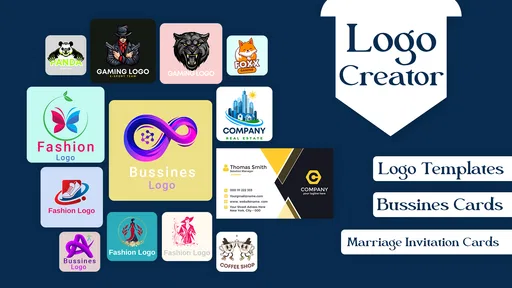
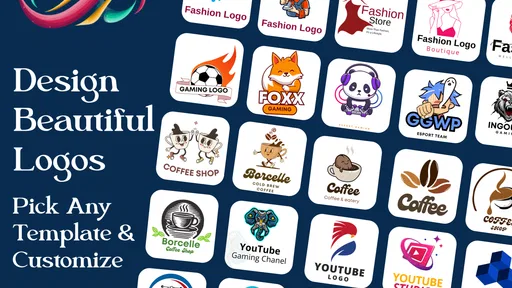
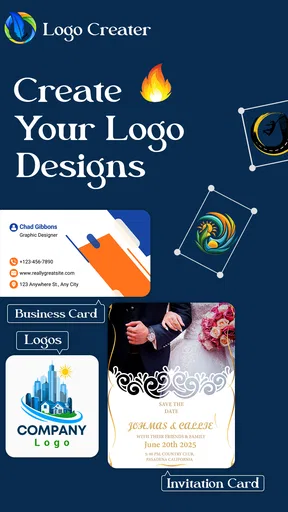
During the first few sessions, the attraction is easy to understand. Starting from a blank canvas can be intimidating, especially if I do not already know what makes a logo look balanced. Templates provide a starting direction, while fonts and decorative symbols let me change the personality of the result. Instead of waiting for inspiration, I can browse, choose a rough structure, replace the wording, and then adjust the visual tone.
The quickest way to get value from it is to begin with the intended use, not with the most eye-catching template. A logo for a profile image needs to remain recognizable when reduced, while a mark for a flyer can tolerate more detail. I found that choosing a simple shape first and treating decorative elements as accents produces a more dependable result than trying to fill every open space. The app makes experimentation inviting, but restraint still has to come from me.
Its template-based approach is particularly useful for people who know what they want to communicate but do not know how to construct it. I can test a bold, friendly, elegant, or playful direction without drawing every part manually. This is where the app feels more approachable than a traditional design editor. The learning curve is not really about mastering professional tools; it is about recognizing which combinations remain readable and which ones only look exciting while I am zoomed in.
One practical workflow is to create several rough versions before becoming attached to the first one. I would keep the wording identical, then vary the font and the amount of decoration. Comparing those versions at the size where they will actually appear often reveals a problem that is easy to miss during editing. A thin letter style may look attractive on the canvas but lose its character in a small avatar. Likewise, an emoji can add warmth, yet it may make a business mark feel less distinctive.
The app is also a reasonable choice for a quick personal project because it lowers the cost of trying an idea. There is no purchase required to begin, and the store rating sits at 4.8 from roughly 200 ratings, which suggests that many users find the basic proposition satisfying. I would not treat that number as proof that every design will look professional, but it does match my impression that the first-week experience is easy to enter and immediately understandable.
Where the early excitement comes from
The novelty is not simply that I can make a logo. It comes from seeing a rough concept become a recognizable image in a short sitting. Changing a word, testing another font, or adding a small symbol gives quick visual feedback. That feedback makes the process feel productive even before I have settled on a final identity.
There is a useful psychological advantage here: the app gives me something to react to. Many beginners struggle when faced with an empty page because every decision is open. A template narrows the choices enough to create momentum. I can then judge whether the composition feels too busy, too plain, too formal, or too close to a familiar style. That is a better starting point than trying to invent a complete mark from nothing.
Still, the first-week appeal has a boundary. If I want a highly original symbol, precise geometry, or a carefully controlled brand system, templates can become a constraint. The app is strongest when speed and accessibility matter more than absolute uniqueness. It helps me make a logo; it does not replace the thinking required to make that logo memorable for the right reasons.
What remains useful after the novelty fades
The more important question is whether I would keep the app installed after the first few experiments. For me, the answer depends on how often I create small visual projects. Someone who regularly launches social pages, event groups, side projects, or informal shops can return to it whenever a new identity is needed. In that situation, the value is recurring convenience rather than one dramatic design session.
The app has passed 100K installs, so it clearly serves a broad audience beyond a single-use experiment. I can see why: many people need a decent-looking mark occasionally, not a complete professional branding package. For them, opening a familiar mobile tool is easier than searching for a designer or learning a complex desktop application every time a new project appears.
A realistic example would be a person selling handmade items at weekend markets. They might first use the app to create a name-based logo for a social profile, then revisit it when preparing a simple announcement or a new product line. The recurring benefit is not necessarily producing a completely new logo each month. It is having a quick place to explore a related visual direction when the project changes.
I would also use it for temporary identities. A community fundraiser, school activity, gaming group, or short event may need a recognizable image without justifying a long design process. In these cases, a template-based result can be exactly appropriate. The mark only needs to be clear, friendly, and ready in time. Spending several evenings perfecting it could be less sensible than creating something coherent and moving on to the event itself.
For long-term brand work, however, I would treat the app as an idea generator or a lightweight production tool, not the whole system. A durable brand usually needs consistent rules for color, spacing, typography, and use across different formats. The app can help me discover a direction, but I would want another tool or a professional workflow when the logo becomes central to packaging, signage, or a larger identity.
A workflow that keeps the results consistent
One of the less obvious ways to get more value is to establish a small personal rule before editing. I might limit myself to one main font, one supporting visual element, and a clear priority for the name. This prevents the template from dictating every decision. It also makes several related logos feel as though they belong to the same project, even when I start with different layouts.
I would save the strongest concept only after checking it in three situations: at its normal viewing size, against a plain background, and without the decorative element. That last check is especially useful when an emoji or symbol is doing too much of the recognition work. If the lettering collapses when the ornament disappears, the design may be attractive but weak as an identity.
Another helpful habit is to write the exact purpose of the logo before opening the editor. “Profile image for a cooking account” leads to different choices than “small label for handmade products.” This simple step reduces random browsing and makes the app feel less like a collection of templates and more like a tool with a job to do.
The maintenance burden of keeping a logo usable
Logo creation is only the beginning. The real maintenance burden is deciding whether the result continues to work as the project grows. A logo that looks fine on a phone may become difficult to read on a printed card or a crowded social header. I would therefore avoid treating the first attractive version as finished. The app makes revisions approachable, but it cannot decide where the mark will appear or whether its visual weight is appropriate there.
For a personal project, maintenance is fairly light. I can revisit the design when the name changes, when the tone of the project shifts, or when the original arrangement starts to feel dated. The important thing is to change deliberately rather than constantly. Reworking a logo every time I see a new trend can make a small brand look inconsistent and can erase the recognition built by repeated use.
There is also a practical organization issue. If I create multiple versions, I need to remember which one is the current choice and why. I would keep a short note outside the design process describing the selected font style, the main wording, and the intended use. That habit prevents a common problem with quick mobile design: making many variations but losing the reasoning behind the final one.
The free entry point makes occasional maintenance easier to justify. I can return when a small need appears instead of paying before knowing whether the workflow suits me. At the same time, in-app purchases cost $14.99 per item, so I would pay attention before selecting anything that requires an additional purchase. For a one-off personal badge, I would first test how far the free experience takes me. For repeated commercial use, I would compare that potential spending with a more complete design service before committing.
The age rating of Everyone is another reason the app can work in mixed settings, such as a family project or a classroom activity. That does not mean every result will be suitable for every audience; the choices I make still determine the tone. A playful emoji-based mark may be perfect for a youth club and completely wrong for a formal service. The app supplies ingredients, while judgment remains the maintenance task.
Where fatigue and frustration can appear
The same template library that removes the fear of a blank canvas can eventually feel repetitive. After several designs, I may notice that changing the words and font does not fundamentally change the underlying structure. This is the main source of fatigue for me: the process is quick, but quick choices can start to look alike. If originality is the main goal, I would probably outgrow the app sooner than someone who values convenience.
Mobile editing can also become tiring when I need fine control. A phone is excellent for trying ideas while travelling or during a short break, but it is not always comfortable for careful alignment and comparison. The smaller workspace encourages fast decisions, which is useful for rough work but less ideal when tiny spacing differences matter. I would use the app for exploration and straightforward finishing, then move to a larger tool if precision became the priority.
There is a second kind of fatigue: visual over-decoration. Fonts, templates, and emojis make it easy to keep adding personality, yet a logo usually benefits from a clear hierarchy. I found that the most reliable approach is to remove one element after I think the design is done. If the result becomes clearer, that element was probably compensating for a weak structure rather than improving it.
Users who expect advanced brand controls should set their expectations carefully. This is not the right choice when I need a carefully engineered vector mark, a complete identity guide, or a designer-ready production pipeline. In those situations, a professional graphics application or an experienced designer is a better investment. The mobile convenience that makes this app friendly to beginners is also what limits it for demanding work.
There can be a trade-off between speed and ownership of the creative direction. Starting with a template helps me reach a result, but it can subtly steer the result toward familiar visual patterns. I would ask myself whether I am choosing a design because it fits the project or because it was simply the first polished option I saw. That question is important if the logo will represent a business for a long time.
Who should use it, and who should skip it
I would recommend it to a beginner who needs a logo today, a small creator who changes projects often, or anyone who wants a low-pressure way to test names and visual moods. It is also useful for people who dislike starting in a blank professional editor. The combination of templates, fonts, and emoji-style additions gives enough room to make a result feel personal without demanding specialist knowledge.
I would be more hesitant to recommend it to an established company refreshing a serious identity, a designer who needs detailed control, or a team that must maintain exact brand rules across many assets. Those users are likely to find the template-first approach restrictive. They may be better served by software built around precision, reusable brand systems, and broader export or production workflows.
For everyone in between, I see it as a useful companion rather than a permanent replacement for every design tool. I can use it to turn an idea into a visual draft, decide what direction feels right, and then move elsewhere if the project becomes more demanding. That makes its role clearer and prevents disappointment caused by expecting a lightweight mobile creator to behave like a full studio.
My long-term verdict
After the initial excitement fades, Logo Maker - Create Logo earns lasting space mainly through repeat convenience. It is not the app I would choose for a carefully engineered corporate identity, but it is a sensible option when I need a recognizable logo without a long setup process. The free starting point, accessible age rating, and support for older Android versions make it easy to try, while the 3.2 release gives the app a current place in its category.
Its lasting value depends on using it with discipline. If I browse templates endlessly and add every appealing font or emoji, the results become generic and the process becomes tiring. If I begin with a clear use case, keep the composition simple, and test the design at its real size, the app becomes much more useful. That is the difference between a novelty generator and a practical part of a small creative routine.
DUNELOGIC SOLUTIONS has made a tool that favors momentum over deep control. I appreciate that choice because many people do not need a professional design education to create a respectable starting point. I also appreciate the honesty of the trade-off: the faster route will not provide the same freedom as advanced software. Knowing that before I start helps me choose the right projects for it.
My recommendation is therefore specific. Install it if you regularly need quick, friendly logos for personal projects, temporary events, online profiles, or small ventures. Give it a clear brief and judge the result at the size where people will actually see it. Skip it if your priority is uniqueness at a professional branding level or exact control over every visual detail. For the right user, this is a convenient logo-making habit, not just a one-time experiment.
Verdict
Strengths of Logo Maker - Create Logo
- Simple tools make basic logo creation accessible to beginners.
- Large selection of templates helps speed up the design process.
- Text editing includes multiple fonts, colors, and alignment options.
- Projects can be customized without needing professional design experience.
- Useful for creating quick branding assets directly on a mobile device.
Limitations of Logo Maker - Create Logo
- Many premium templates and elements require a paid subscription.
- Some designs may look generic without extensive customization.
- Export options and image quality can vary depending on the plan.
- The interface may feel crowded when browsing numerous design categories.
- Ads can interrupt the workflow for users on the free version.
Similar Picks in This Category
View All
Canva: AI Photo & Video Editor
Canva4.8

PENUP – Drawing-sharing SNS
Samsung Electronics Co., Ltd.4.5

Crafto
Kutumb App4.6

Sketchbook
Sketchbook4.1

ibis Paint X
ibis inc.4.5

Adobe Express: AI Photo, Video
Adobe4.6
Frequently Asked Questions
What is Logo Maker - Create Logo, and what can I use it for?
Logo Maker - Create Logo is a mobile design app for creating custom logos directly from an Android or iOS device. It usually provides templates, icons, fonts, colors, shapes, and editing tools that can be combined into a finished design. It can be useful for small businesses, online shops, social media profiles, personal projects, gaming channels, and anyone who needs a simple brand mark without using professional desktop software.
Is Logo Maker - Create Logo suitable for beginners without design experience?
Yes, the app is generally designed with beginners in mind. Its template-based workflow lets you start with a pre-made concept and then adjust the text, colors, symbols, layout, and background. The interface is easier to understand than advanced graphic-design software, although creating a polished result may still require patience. Users who want a completely original logo should experiment with spacing, typography, and color combinations instead of relying only on the first template.
Can I create a logo from scratch or only edit existing templates?
Logo Maker - Create Logo commonly supports both approaches, depending on the tools included in the version you install. You can typically begin with a template for faster results or build a design by combining icons, shapes, text, and backgrounds manually. Starting from scratch offers more flexibility, while templates are convenient for inspiration. Before downloading, check the current feature list because available assets and editing options may vary between app versions.
Can I save and use the logos commercially after creating them?
You may be able to save and use your finished logo for business or commercial purposes, but this depends on the licensing terms for the app’s templates, icons, fonts, and other design elements. Some assets may be free for commercial use, while premium content could have separate restrictions. Read the app’s license agreement carefully before publishing a logo on products, websites, advertisements, or registered business materials, especially if the design is important to your brand.
Is Logo Maker - Create Logo free to download, and are there advertisements or in-app purchases?
The application may be available as a free download, but free access does not always include every design element or export option. Many logo-making apps use advertisements, premium templates, subscription plans, or one-time purchases to unlock additional graphics and remove restrictions. Check the store listing for the current pricing, supported export formats, and trial conditions before installing. Also review subscription details carefully so you understand renewal dates and cancellation requirements.
